


By Not a Tesla App Staff

![Grok, Light Sync, Audio Presets and More [VIDEO]](https://www.notateslaapp.com/img/containers/article_images/tesla-update/light-sync-update.jpeg/809467f99ef79eecd19de403cf782f98/light-sync-update.jpg "Grok, Light Sync, Audio Presets and More [VIDEO]")
Tesla has officially announced the next major software update, 2025.26. As expected, this update will introduce the Grok AI assistant to Tesla vehicles, although it’ll initially be limited to the U.S.
Tesla also announced several other features that will arrive in update 2025.26, such as Light Sync, the ability to create and save audio presets, and others.
We’ll break down each new feature and which models and regions we expect it to be available in.
Grok

After the Grok UI was revealed in update 2025.20 and the Tesla app included the ability to log in to Grok, it’s not surprising that Tesla has finally unveiled Grok in Teslas.
As expected, Grok will only be available on AMD Ryzen-based vehicles. Tesla says that it will also be limited to the United States and require Premium Connectivity, but it looks like it won’t require a subscription to anything else, such as Super Grok.
Unfortunately, Tesla announced that Grok will not be able to control elements in your vehicle and that the old voice command system will still be used to do that.
In a post on X, Tesla showed off Grok in action for the first time, showing the interaction between the driver and Grok. The Grok interface displays sound waves in rainbow-like colors when it’s speaking, much like another popular device. Tesla’s video of Grok is below:
Hey @Tesla_Optimus … @grok wants to know if you’re free tonight pic.twitter.com/xXfSkg8M22
— Tesla (@Tesla) July 12, 2025
Supported vehicles: Based on Tesla’s post, this is expected to include all AMD vehicles, including the Model S, X, 3, Y, and Cybertruck.
Supported regions: U.S.
Light Sync
Tesla continues to improve the ambient light feature in Teslas by integrating it into more things. Tesla recently started using the ambient lights during Santa Mode and Rainbow Road. They also turn the ambient lighting red when you’re in Service Mode. However, this time, they’re going one step further. The ambient lights can now react to the music you’re playing by presumably changing colors based on the beat.
You’ll also have the option to maximize the brightness of the ambient lights when this feature is enabled, but only when the vehicle is parked, which Tesla is calling Rave Cave.
In addition to reacting to the music, the lights can change color to match the album color of the music being played, which is kind of similar to the ambient lights on some TVs matching the content being displayed. A needless addition? Sure. But very cool as well.
Tesla shows a screenshot of this feature, which is included in the Toybox app, and shows that you can enable or disable each feature individually, including syncing the lights to music, max brightness, and matching the album artwork color.
Supported vehicles: All vehicles with the ambient lighting feature, including the Cybertruck.
Supported regions: Assumed to be available everywhere.
Audio Settings Update

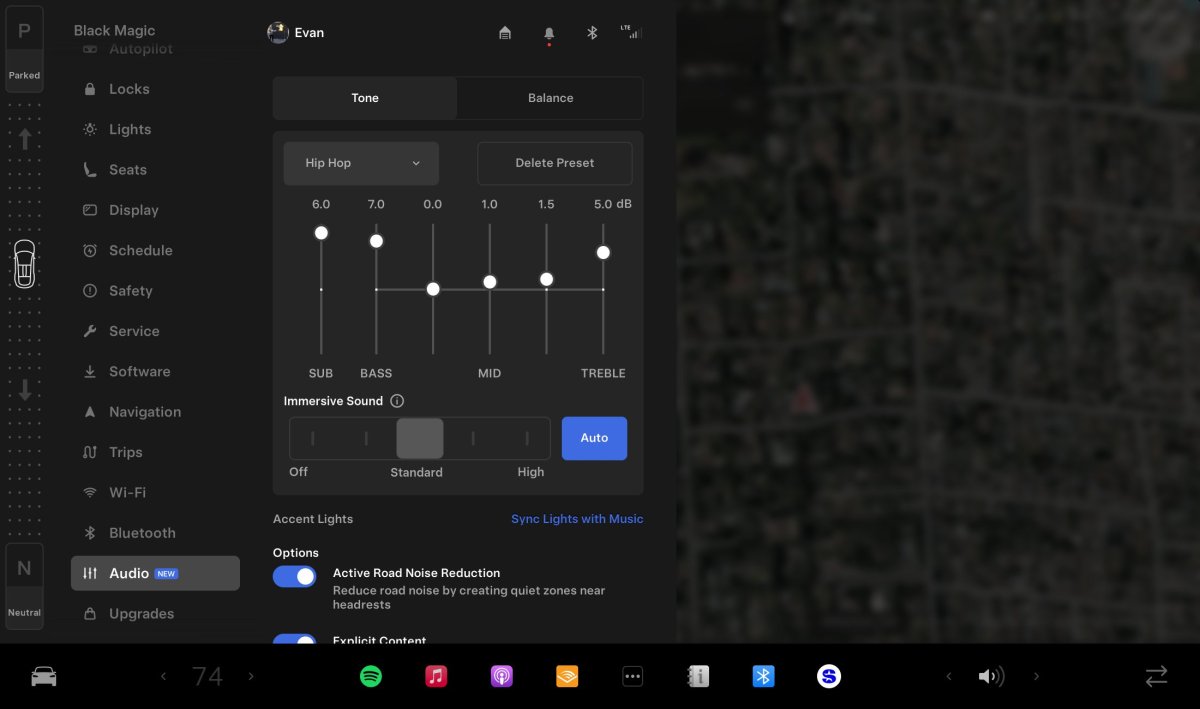
Another feature Tesla highlights is the ability to create presets for audio settings. These audio settings will be in a new Audio tab in the vehicle’s settings, and they’ll allow you to create and save presets for different types of music. For example, you can have a preset for spoken content and another one for pop music.
Each preset will let you adjust the equalizer and set the immersive sound level.
What’s nice here is that it seems that Tesla has redesigned the audio settings and moved them to the main vehicle controls instead of only having them accessible through a button in the music player. You can see the Balance tab at the top, although it doesn’t look like you’ll be able to save the balance as part of the preset.
Supported vehicles: This is expected to be available on all vehicles, although it could exclude the legacy Model S/X.
Dashcam Viewer Updates

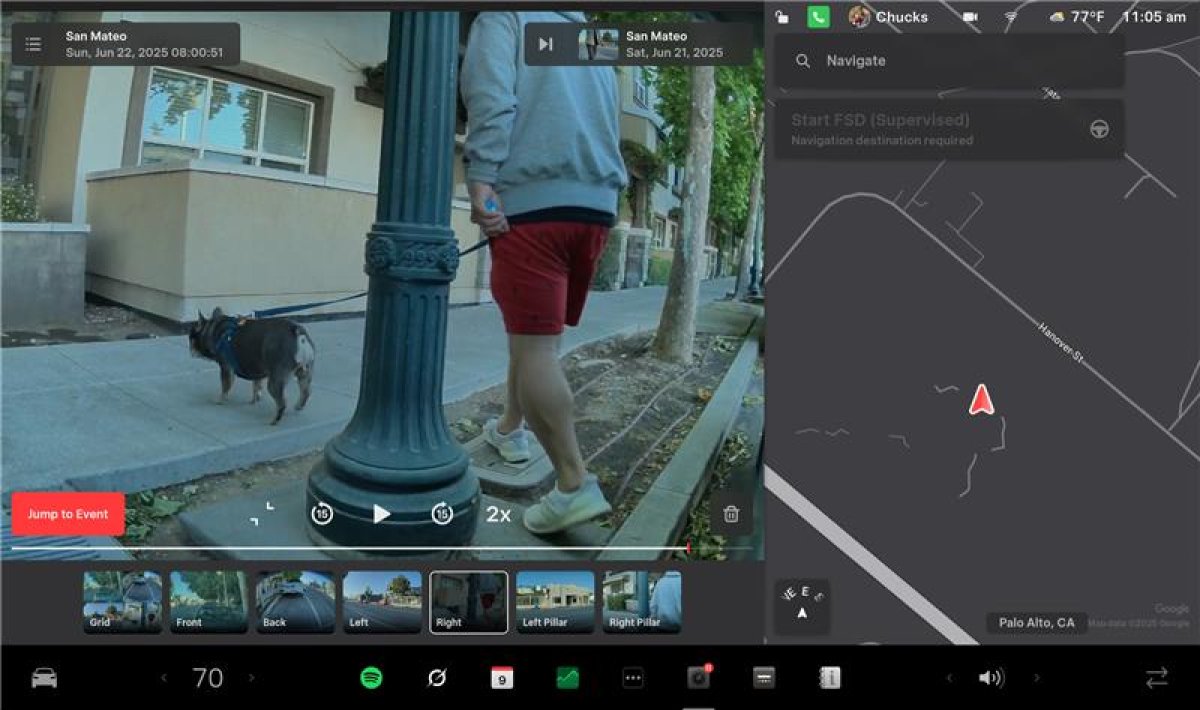
This Dashcam Viewer update is only for AMD-based vehicles. It includes the ability to change the playback speed of the video being played, a feature of the old Dashcam Viewer which was surprisingly not included in the new player.
The playback speed is shown on the screen, and you’ll be able to tap it to cycle between varying speeds. The older Dashcam Viewer lets you choose between 0.5x, 1x, 1.5x, and 2x playback speeds, and this is expected to be the same in this update.
With this update, the new Dashcam Viewer also arrives on the Cybertruck for the first time, which was the only Ryzen vehicle excluded when the update was originally released.
Supported vehicles: All AMD Ryzen-based vehicles.
Supported regions: Assumed to be available everywhere.
Supercharger Improvements

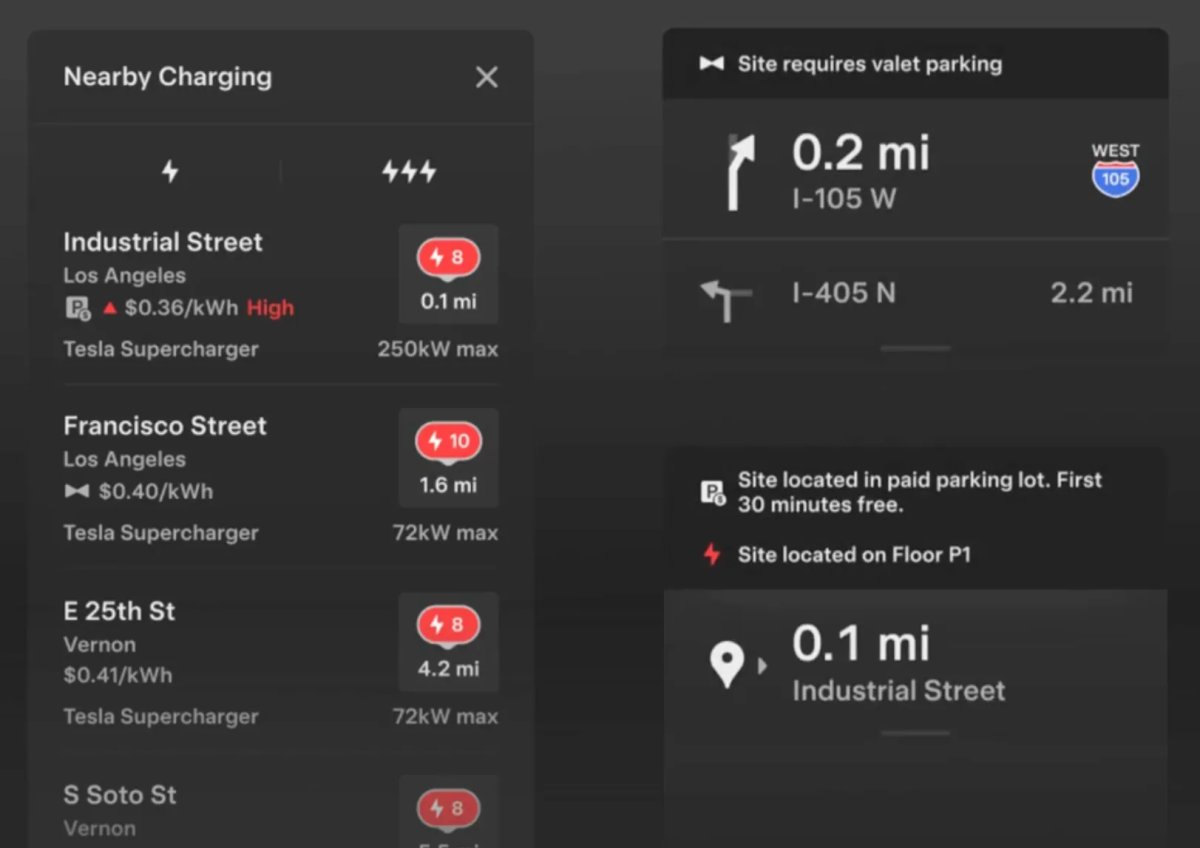
As we talked about in an earlier article, Tesla is adding more information to the Supercharger list in your vehicle. Tesla will now show which Superchargers require paid parking, valet, or an access code.
This isn’t as exciting a feature, but it surely prevents a lot of unnecessary frustration for users who arrive at a Supercharger location only to find out it requires you to pay for parking, is only available for valet service, or has other requirements.
If the Supercharger is in a garage, Tesla will now include the floor or level number that the Supercharger is on. While there are usually physical signs at these locations, knowing the floor number the charger is on ahead of time will definitely make it easier to find.
Supported vehicles: Expected to be available on all vehicles.
Supported regions: It’s not clear whether this will be available in all regions.
Onboarding Guide

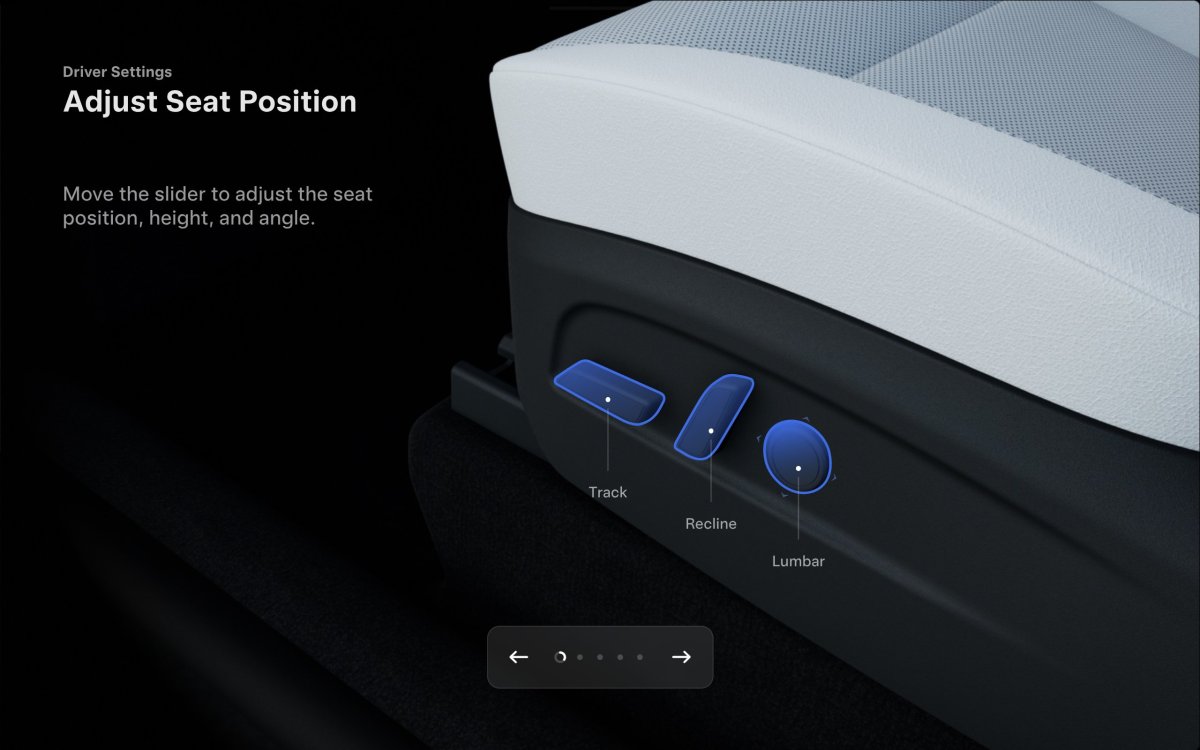
The last feature that Tesla is highlighting in update 2025.26 is a new onboarding guide that will help new owners become familiar with their vehicles.
According to Tesla, the new guide will run through several features, such as adjusting your seat and mirrors, as well as controlling certain vehicle functions, including the lights, wipers, and Autopilot. This will be a great addition for new owners, as accessing some of these features isn’t apparent, especially if they require use of the unlabeled scroll wheel, such as activating Autopilot on newer vehicles without a stalk.
Supported vehicles: This is expected to only be available on AMD Ryzen vehicles, but Tesla doesn’t specify which vehicles it’ll be available on. Once the update starts rolling out, we should have more information.
Supported regions: This will likely be available in all or most regions.
Release Date
There may be other features included in update 2025.26 that Tesla isn’t highlighting in their post. Tesla often doesn’t include smaller additions or features that were previously introduced but have now been added to more regions.
There’s no doubt that the biggest feature in this update is Grok, but the other updates are nice improvements as well. This feature is expected to roll out to employees this weekend, and it should start rolling out to customers in the next week or two.
By Karan Singh

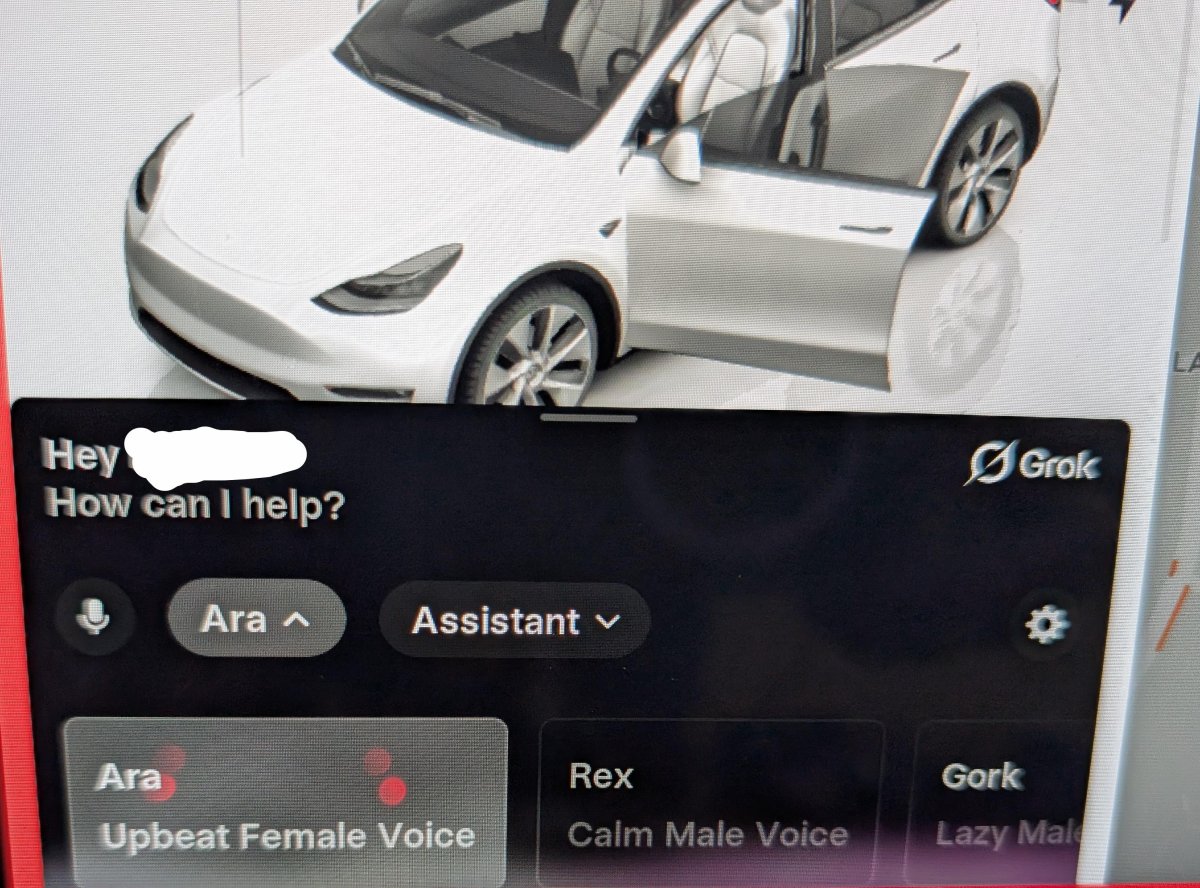
Tesla’s new in-car AI assistant, Grok, will be getting a hands-free wake word soon. Tesla added Grok to its 2025.26 update, and it’s already working on ways to improve the feature.
Elon Musk stated on X that Grok will soon be able to be activated on Tesla vehicles with the “Hey, Grok” wake word. The conversational assistant will feel even more human-like by having it respond to its own name.
Currently, Grok is activated with a long press of the voice command button (or a long press of the right scroll wheel on older vehicles). A single tap of the button/wheel is currently reserved for the outgoing voice command system, which is expected to be replaced by Grok in the future.
When you’re barely touching the steering wheel on FSD, having a wake-word will be especially useful since you don’t want to deactivate Autopilot accidentally by grabbing the steering wheel.
Coming
— Elon Musk (@elonmusk) July 16, 2025
Grok Will Have More Data
Grok in a Tesla is going to be far more useful than on a phone or smart speaker, because Grok has access to a whole set of real-time contextual data about the vehicle and its surroundings. While Grok already has access to your vehicle’s location, in the future it’ll be tied in with a lot more, likely knowing your destination, route, battery level, and a lot more. This is all data that Grok will be able to use and take into account when responding to one of your questions.
“Hey, Grok – what’s the best coffee shop along my route that’s within 15 minutes?” will be easily answered by Grok in the future.
Expect More Improvements
Seamless, hands-free activation will be a big improvement for voice commands, especially if the syntax isn’t as rigid as it is today. “Hey Grok, turn on the heated seats”, or “Hey Grok, add a stop at the nearest coffee shop.”
While Grok is going to be an in-development product for quite some time, the confirmation of a wake word tells us that Tesla is already planning its next set of improvements. We don’t expect these to be added all at once, but we can see a long list of features that could be added to Grok.
Once Grok has access to vehicle controls, we expect it to be much more capable than it is today, not only from a syntactical point of view, but also in terms of the actual functions it could control. For example, you may be able to ask Grok to open your garage door when you get home, or tune to a specific radio station at a specific time.
Now, we just need to be able to talk to our vehicles from outside, Knight Rider style.
By Karan Singh

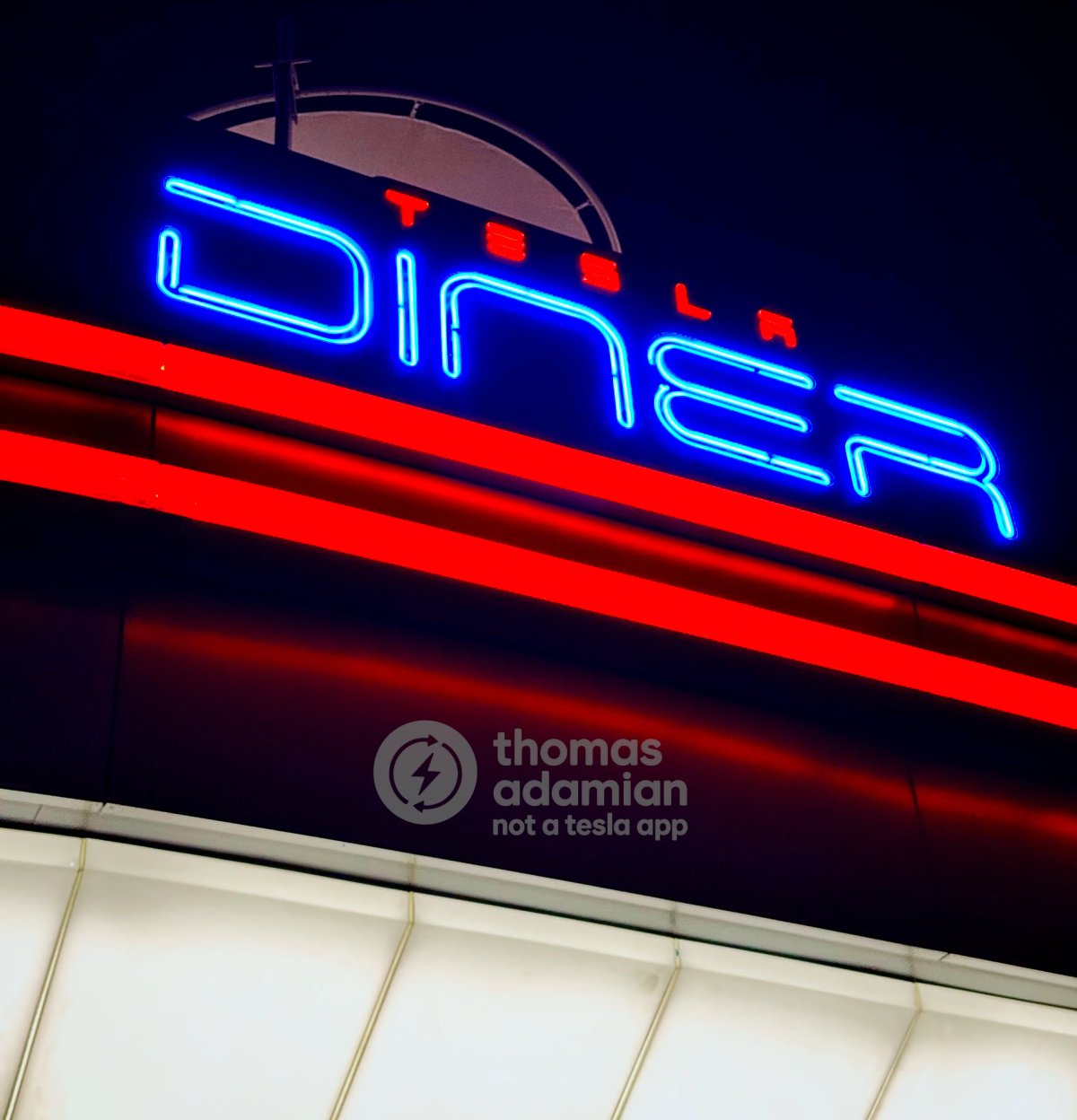
The very first Tesla Diner in Hollywood appears to be in its final stages of preparation before its grand opening. There’s been a flurry of activity on site, mostly focused on wrapping up and finalizing all the details. That includes stress testing the on-site Superchargers, testing the movie screens, recording what appears to be a promotional video, and taste-testing the food.
There are a lot of potential menu items, but we have our first look at some of the food that will be served at this 24-hour diner. There are also what appear to be some collectibles that Tesla will give away to patrons. It’s all coming together.
Lights, Power, Action!

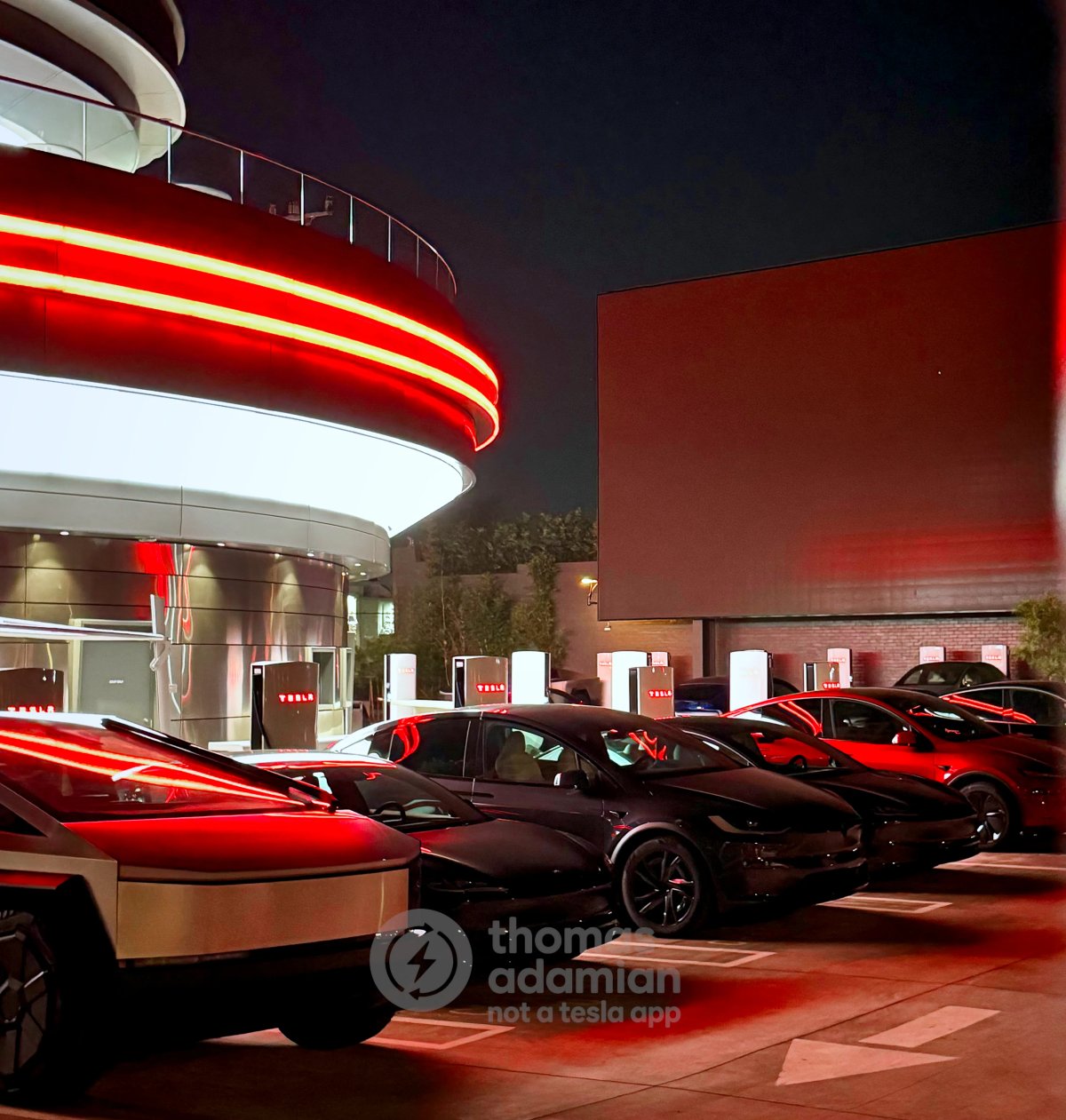
Recent observations by readers Thomas Adamian and @tesla_lighting_ show that the diner is now fully operational, at least from an infrastructure standpoint. The Superchargers outside the building are now being stress-tested, making sure they’re ready for what’s sure to be a packed opening day. After dark, the diner itself is all nicely lit up, with a large, retro-style Tesla Diner logo shining brightly.
The two large movie screens have been spotted lit up numerous times, but the best sign that the Tesla drive-in diner is ready to open is that Tesla appears to be filming on-site, in what will likely be a video posted to YouTube and other social media channels.
A First Look at the Menu

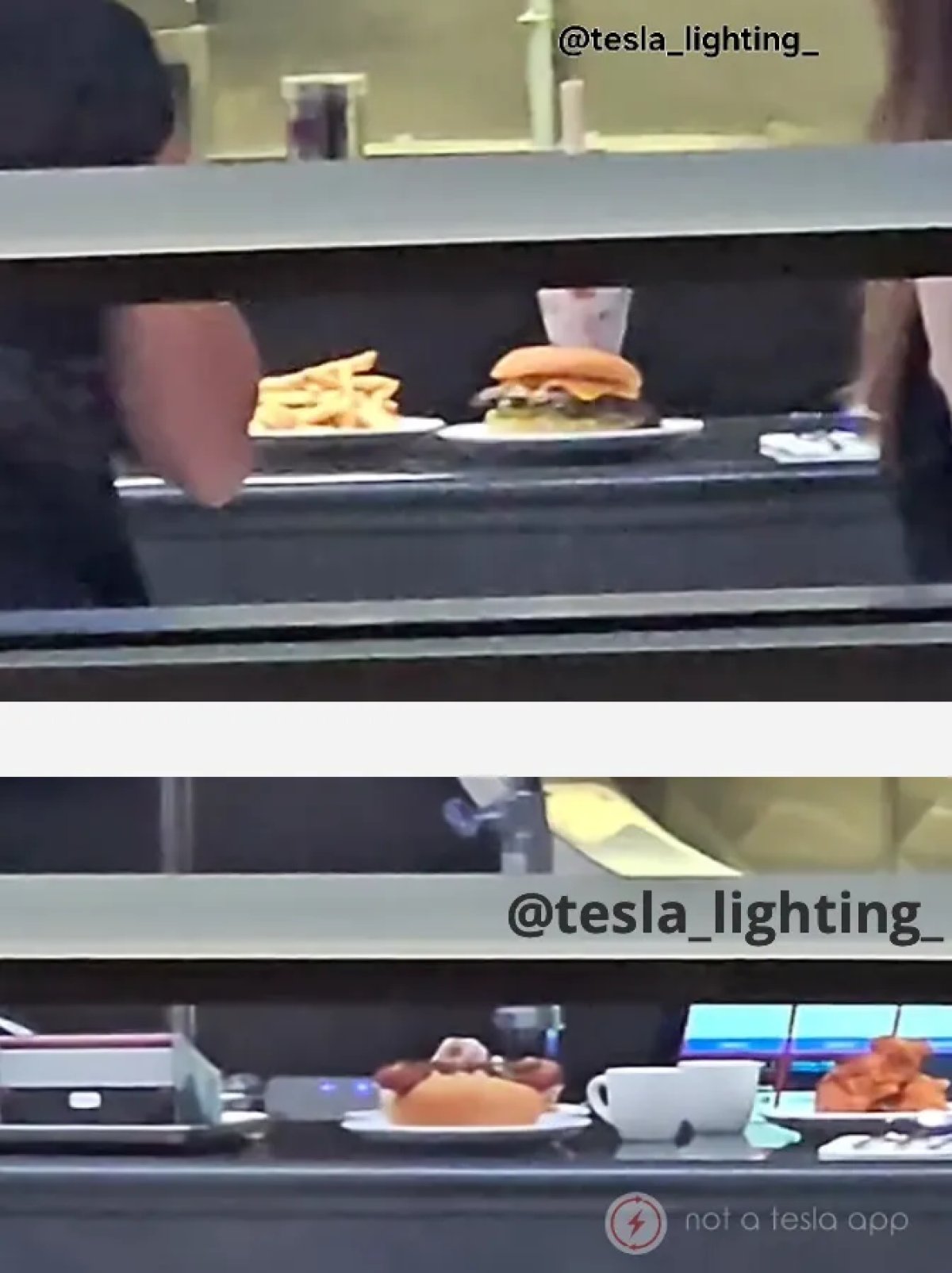
For the first time, we’ve finally got a sneak peek at the type of food that will be offered at the diner. We’ve been expecting traditional diner fare, so this list of food isn’t surprising.
The items spotted on the tables for taste-testing included hot wings, sandwiches, and a side of either salad or coleslaw. These will be joined by other staples, including burgers and hot dogs, which were also spotted.
Tesla Diner Nears Grand Opening: First Look at Food and Potential Collectibles [VIDEO] pic.twitter.com/oxWABJk8et
— Not a Tesla App (@NotATeslaApp) July 17, 2025
Collectibles
Tesla is extending its Tesla Diner branding to drinkware and likely other tableware. The soft drink cups can be seen sporting Tesla’s lightning bolt logo. There also appears to be what looks like a Cybertruck-themed takeout box or a platter of some sort (can be seen on the very bottom left of the food image above).
Tesla previously teamed up with McDonald’s to offer a Cyber Spoon, so it’s possible they may make similar type offerings at their own diner.
Tesla has invested a lot in making this a unique destination. There’s no doubt that this place will be packed nearly 24/7 and will surely be a fan favorite destination.
Opening
While we haven’t heard of an official opening date yet, these final preparations, from promotional filming to taste testing, indicate that the wait for Tesla’s first Diner and drive-in movie experience is nearly over. Let’s hope it goes well, and they continue expanding the Tesla Diners across the globe.
link